Retouch: stamp brighter or darker
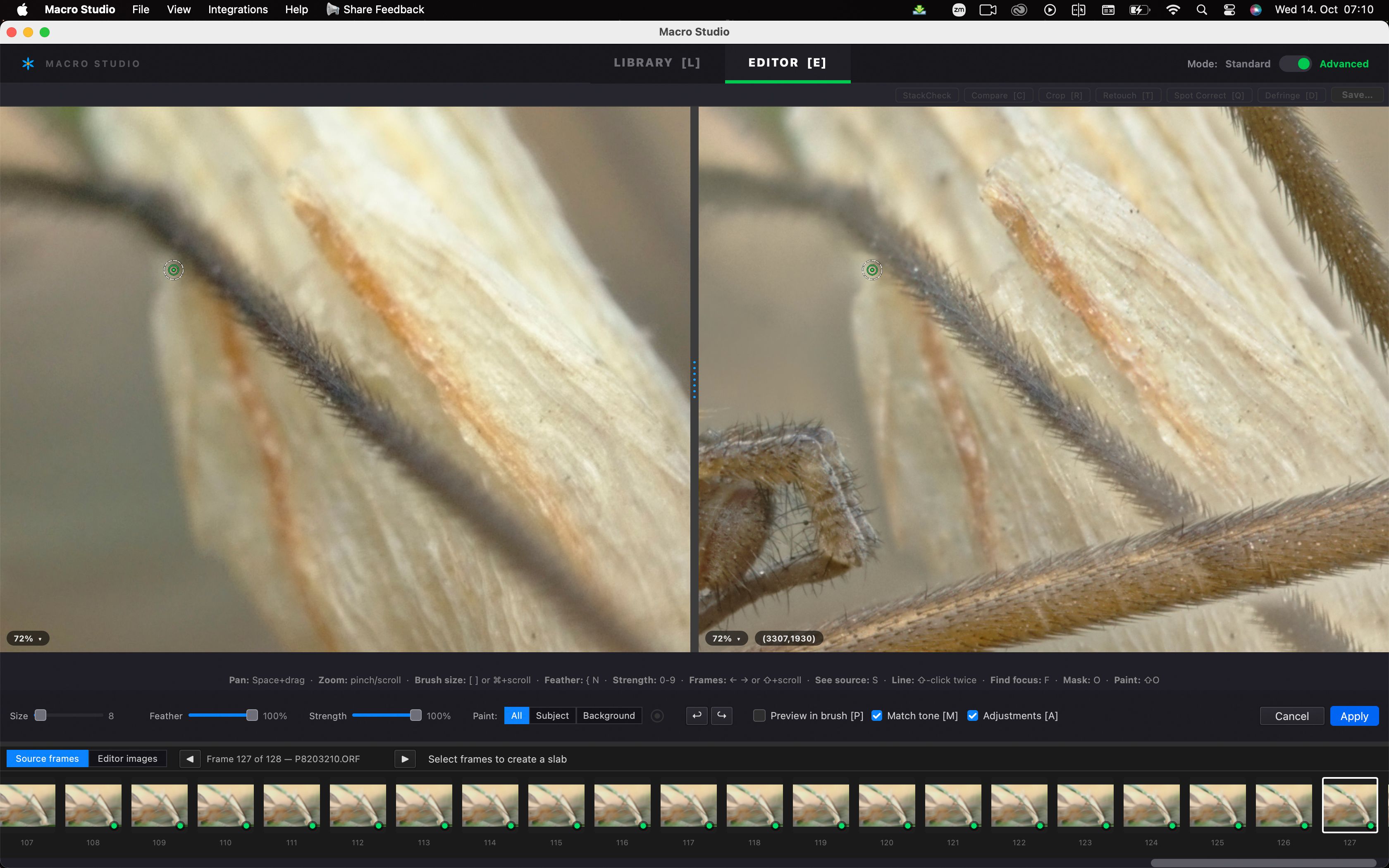
While I was retouching a crane fly because the legs came out partly transparent, I think I just had one of my best ideas ever 😂😂.
Most of the time, fine details like hair are over a background that is either brighter or darker than the actual source.
What if we could stamp only brighter or darker - similar to the mode in the stamp tool in photoshop.
Perhaps even give those brighter and darker tools some sliders so that we can fine tune them, like copy if, similar to blend if. So only copy the pixels in the source if they are darker than value x or brighter than value y.
Perhaps it’s even possible to stamp if the source has more detail than the destination (but I guess then the stacking process would have realized anyway).
Log in to comment and vote
Comments2
Mark Laurendet
Oct 31
An interesting idea in general. I have the same issues with spiders legs especially using a flash at night. Changing light with flash falloff and shadows. But you may also need a tool like “super select AI” on ON1 to say select a leg or all legs that you need and somehow have an option to blend all selected areas for consistency.
Is this sort of what you are trying to do? One of the best suggestions as if I guess this correctly this could help a lot with certain subject types
Wolf Amri
Oct 31
Thanks, Mark. I think selections are great, but probably not as good as blend modes (for now), as the latter can be used without the need if an “edge”. I hope that makes sense. I’m sure you can tell that English is not my first language 😂.